
Data Sources
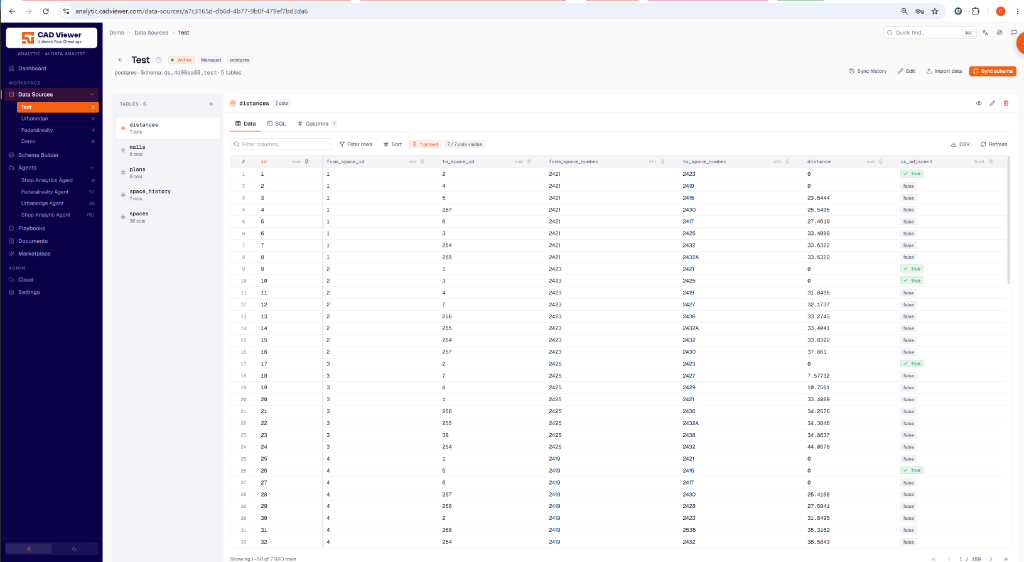
The Data Sources pane allows you to connect the databases holding your data (e.g., Postgres, Snowflake). Everything downstream reads through these sources.
Adding Data Sources
When adding a data source, you can use a Managed Postgres connection or Bring Your Own (BYO) connection. Note that if you delete a BYO connection, only the connection is removed (external data is not affected), whereas deleting a managed database drops the schema and all its data permanently.
Managing Tables
Once connected, you can view all tables in the datasource:
- Import Data: If tables are empty, you can import JSON data via script to populate them.
- Sync Schema: Use the “Sync Schema” button to refresh the table definitions and columns.
Inspecting Data & SQL
For any given table, you can switch between two views:
- Data Tab: Inspect your raw rows, pin/unpin specific columns, and apply row filters.
- SQL Tab: Execute direct SQL queries to verify your data structure. The SQL execution area retains query history (coming soon) and shows execution latency.
{{ … }}