
Schema Builder
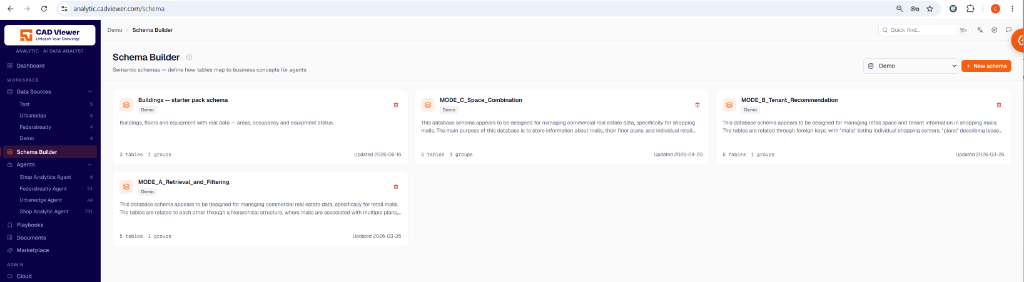
The Schema Builder lets you create semantic schemas — defining how raw database tables map to business concepts for your AI agents. Describe the tables an agent may query, grouped by subject. A group is what you hand to an agent, so it only sees the tables it needs.
Creating a Schema Group
To create a schema group, you pick a data source and choose its tables. Name the group after the subject it covers (e.g., “Leasing” or “Contracts”). Agents are bound to groups by name.
Descriptions and Context
It is critical to describe your schema correctly, as this is read by the agent before it writes SQL:
- Group Description: A sentence on what this data represents pays for itself.
- Table Description: You can add context manually or let the AI automatically generate context for your tables by clicking the AI button. This creates a description that summarizes how the schema’s tables relate.
Installing a Marketplace pack will automatically create and wire these groups for you, bypassing the manual setup.